Bill history
When a period is closed, each let space keeps a sealed copy of its bill. It is the record of what was billed and paid, and it does not change afterwards.
Find a past bill
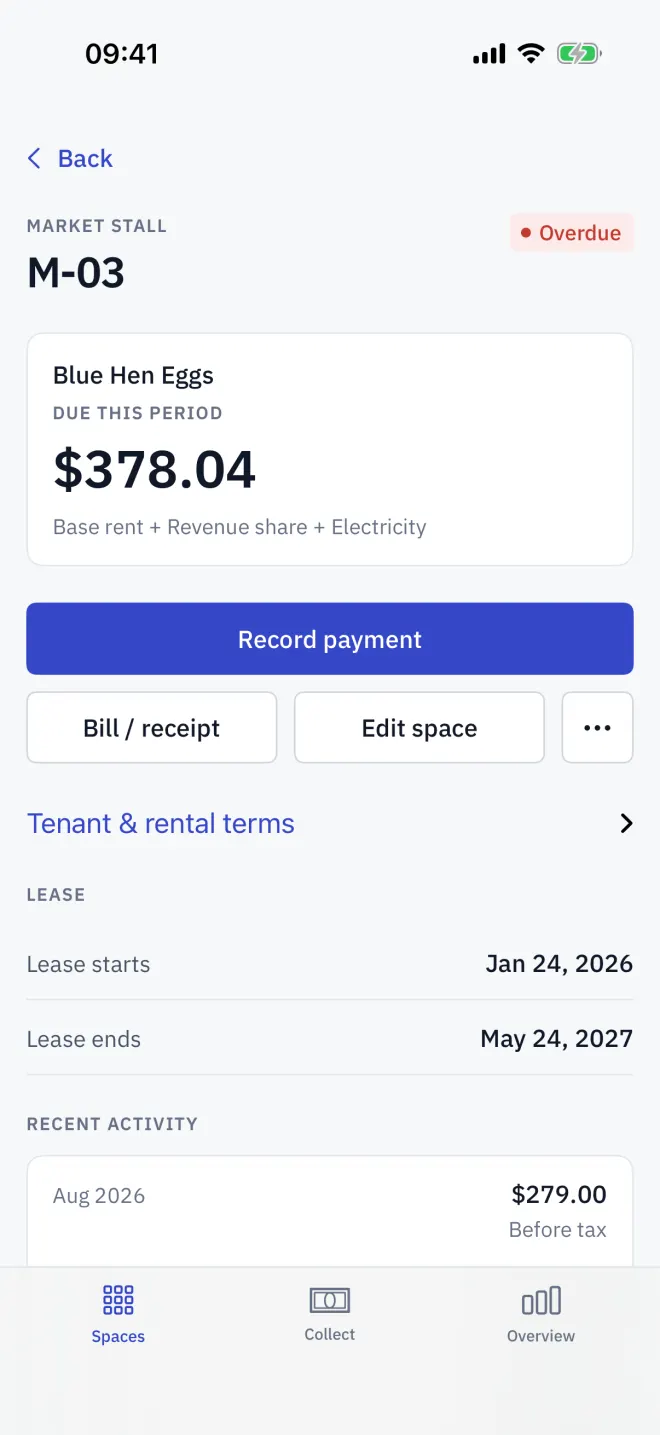
Open a space and look at Recent activity: the last four closed periods with their totals. Tap one to open its sealed bill, which you can share like a live one.
Why it is sealed
A sealed bill freezes each line's amount, the tax rate, the total and the payment at the moment the period closed or the tenant moved out. Raising the rent or changing the tax rate later changes future bills, never a sealed one. There is no way to edit it.
The full history
- Arrears keep their own sealed bill, which the payment sheet opens with View bill / receipt.
- The Excel export has a History sheet with every closed period for every space, and a Periods sheet with the site's totals.
- Records from before tax was added to the app show Before tax and cannot be opened.
Read next
Closing the period
Close the Letnook period from Overview: bills are sealed, unpaid ones become arrears, meters roll forward, one-off fees clear and the next month opens.
NextBills and receipts
Open a Letnook space's Bill / receipt to see every charge line, tax and the total, how to pay, and — once paid — the date, method and bank reference. Share it as an image.
NextThe Excel export
With Letnook Pro, Settings → Data → Build a workbook exports the book as an .xlsx workbook: spaces, bills, history, periods, past tenants and receivables.