Dark mode and iPad
Letnook follows the look of your device, and on iPad it uses the extra room to keep the plan and a space open side by side.
Dark mode
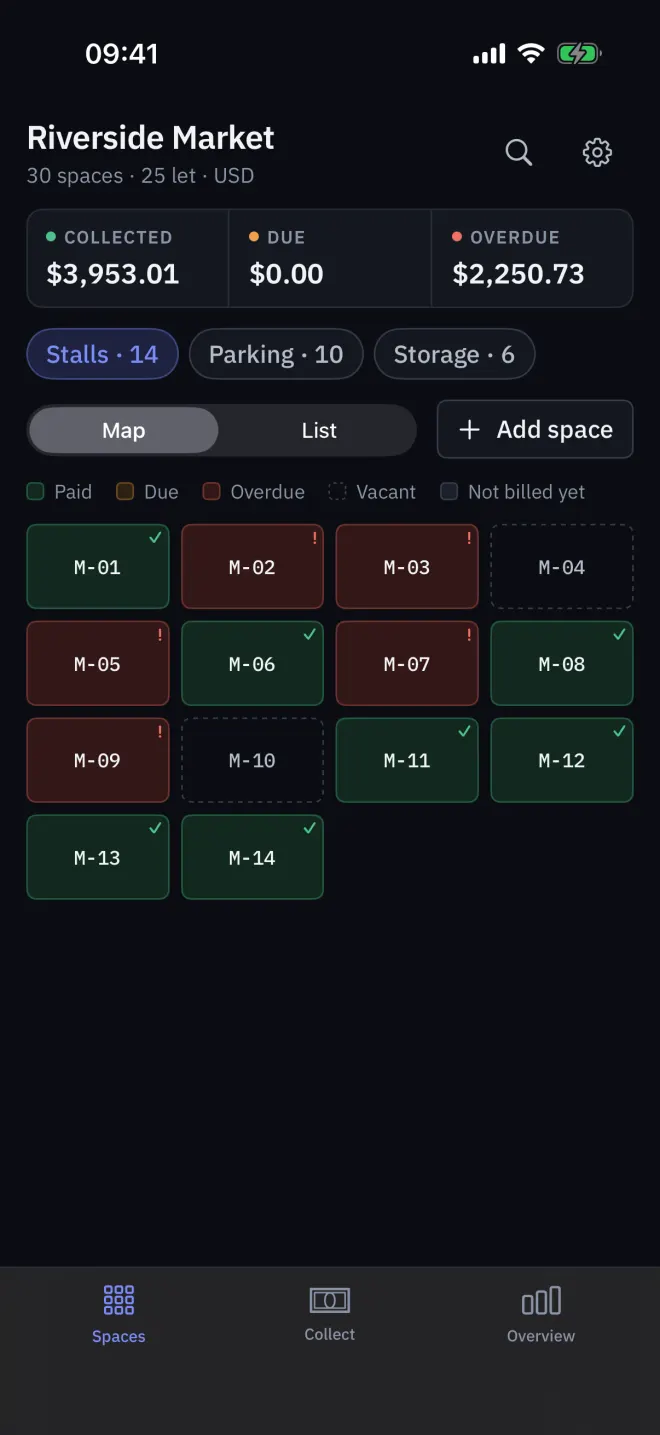
Letnook follows the device's Light or Dark appearance; there is no separate setting in the app. Switch it in the iPhone or iPad's own Settings → Display & Brightness, or in Control Centre. Status colours keep their meaning in both.
iPad
- A sidebar replaces the tab bar: Spaces, Collect and Overview.
- The plan or list stays in the middle; tapping a space opens it on the right without leaving the plan.
- The plan shows six columns instead of four.
- Every orientation works; on iPhone Letnook is portrait only.
With no space picked, the right-hand column says No space selected.
Larger text
Letnook follows the device's text size. At the largest accessibility sizes the plan uses two wide columns and charts become lists, so nothing is cut off.
Read next
The plan and its colours
Read Letnook's Spaces plan: every stall, bay or unit is a cell coloured Paid, Due, Overdue, Vacant or Not billed yet. Switch to List, filter by zone, search.
NextA tour of Settings
A tour of Letnook's Settings: Pro, Site (name, due day, tax), Spaces (zones, default rents), Getting paid, Region and language, Data, Help and the Danger zone.
NextLanguage and market
Letnook keeps the interface language separate from the market, which sets currency, number format, calendar era and payment methods. English in baht works fine.